
Quick Answer
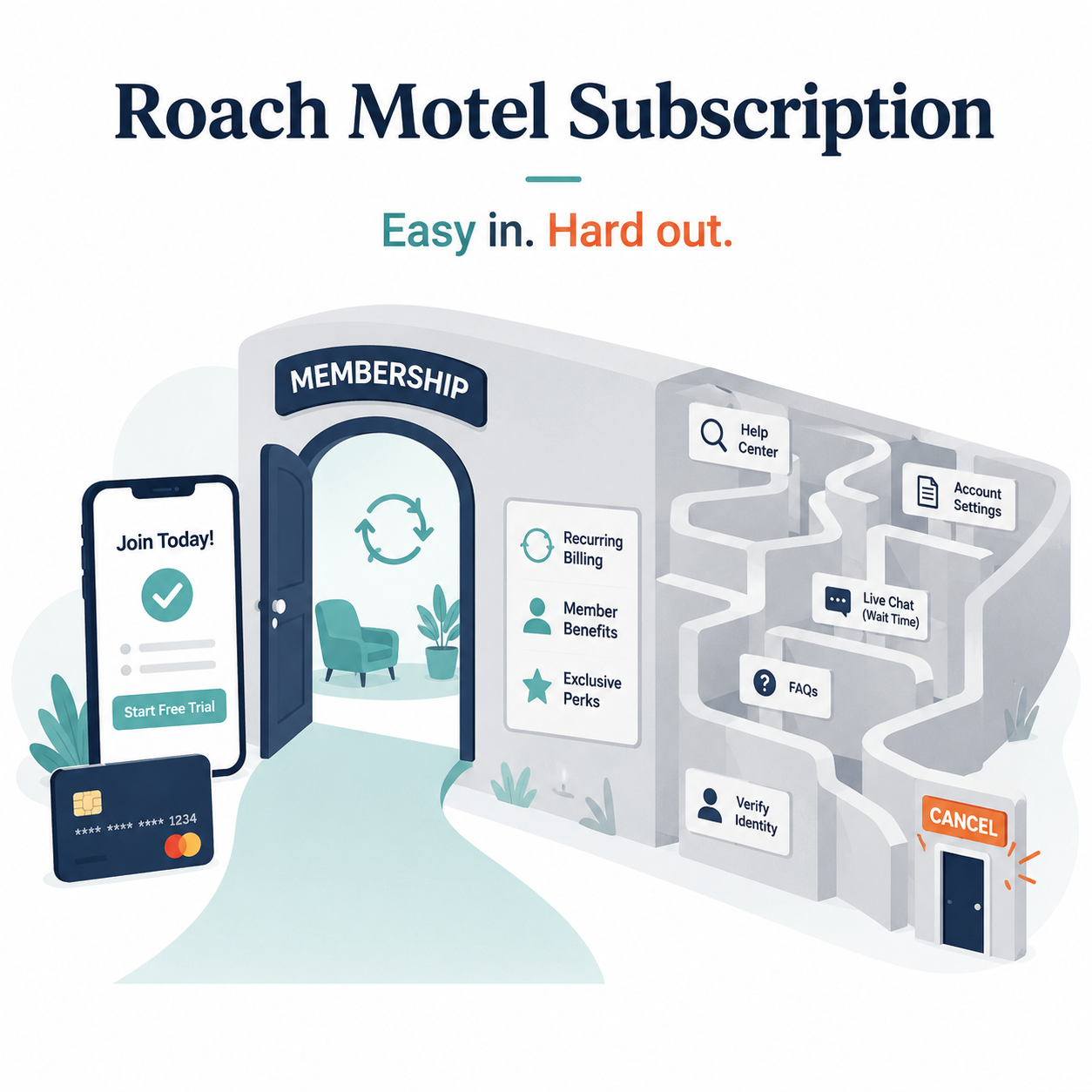
A roach motel subscription is a subscription that is easy to sign up for but hard to cancel.
You can usually join in a few clicks: enter your email, add payment info, start a free trial, and you are in. But when you try to leave, the path may become harder: hidden cancellation buttons, multiple confirmation screens, retention offers, phone calls, chat agents, surveys, or confusing billing-provider redirects.
In plain English: easy in, annoying out.
That does not automatically mean the company is doing something illegal. But it does mean the cancellation experience may be designed with more friction than the signup experience.
Why It Is Called a “Roach Motel”
The phrase comes from the old advertising idea: “roaches check in, but they don’t check out.”
In subscription terms, a roach motel is a system where joining is smooth, fast, and highly optimized — but canceling feels like wandering through a maze with a flashlight that keeps asking if you are sure.
A roach motel subscription may look like this:
Signing up takes 30 seconds.
Canceling requires finding a buried settings page.
The cancel button is renamed something like “manage membership.”
You are shown discounts, warnings, surveys, and pause options.
You may need to confirm cancellation more than once.
You only know it worked when you receive a confirmation email or see an expiration date.
The key issue is the imbalance: the company made subscribing easy, but made unsubscribing harder.
Common Signs of a Roach Motel Subscription
A subscription may have roach motel design if you notice these patterns.
1. You can subscribe online, but you have to call or chat to cancel
This is one of the clearest signs of cancellation friction.
If a service lets you sign up online at midnight in your pajamas but requires a phone call during business hours to cancel, that is not exactly a symmetrical experience.
2. The cancel button is hard to find
Sometimes cancellation is hidden under labels like:
Manage plan
Membership settings
Billing details
Subscription preferences
Account options
Renewal settings
Those labels are not always bad. But when the actual cancellation path is buried several screens deep, many users give up or delay the task.
3. You are pushed through a retention flow
A retention flow is the sequence of offers, prompts, warnings, or questions shown when you try to cancel.
You may see:
“Are you sure?”
“Here is 50% off for three months.”
“Pause instead?”
“Tell us why you are leaving.”
“You will lose these benefits.”
“One more step to confirm.”
Some of these can be useful. Maybe you actually do want to pause instead of cancel. But when the flow is long, confusing, or emotionally pushy, it becomes subscription sludge.
4. You cancel the app, but not the billing
This happens a lot with subscriptions billed through Apple, Google Play, Amazon, Roku, PayPal, or another third party.
Deleting the app does not usually cancel the subscription. Canceling your account with the service may not stop billing if the subscription is managed by a separate billing provider.
That is why many people think they canceled, then see another charge later.
5. The final confirmation is unclear
A good cancellation flow should make the result obvious.
You should see something like:
“Your subscription is canceled.”
“Your access ends on [date].”
“Your plan will not renew.”
“You will not be charged again.”
A vague screen like “Your request has been received” is less helpful. It may be fine, but you should keep checking until you can confirm the subscription status.
Roach Motel vs. Normal Cancellation Flow
Not every cancellation flow is a roach motel.
A normal cancellation flow might include one or two confirmation screens. That can be reasonable, especially if canceling affects stored data, access, discounts, or family members.
A roach motel flow feels different because the effort is lopsided.
Signup Experience Vs. Cancellation Experience
Big clear button Small or hidden button
Few steps Many screens
Available online Requires phone or chat
Clear pricing Confusing renewal details
Fast confirmation Vague or delayed confirmation
Encouraging copy Guilt-based or scary copy
The problem is not that a company asks, “Are you sure?” once. The problem is when the cancellation path becomes a maze designed to slow you down.
Why Companies Use Roach Motel Design
Most subscription businesses care deeply about retention. That means they want customers to keep paying month after month.
From a business perspective, every canceled subscription is lost recurring revenue. So companies often test ways to reduce cancellations.
That can lead to:
Discount offers during cancellation
Pause options instead of cancellation
Surveys before cancellation
Warnings about lost benefits
Hard-to-find cancellation pages
Customer-service save attempts
Some of this can be legitimate. A pause option can help someone who only needs a break. A discount can be useful if the price is the main issue.
But the consumer problem is simple: the company’s retention goal may conflict with your goal of leaving quickly.
That tension is where roach motel design shows up.
Is a Roach Motel Subscription the Same as a Dark Pattern?
Sometimes, but not always.
A dark pattern is a design choice that nudges, delays, tricks, or manipulates people into doing something they may not intend to do.
A roach motel is a specific type of dark-pattern-style experience: easy to enter, hard to exit.
Examples that may cross the line into dark pattern territory include:
Making the cancel option visually hard to see
Using guilt-based wording to discourage cancellation
Requiring unnecessary steps that do not help the user
Making users repeat the same decision several times
Hiding cancellation behind unrelated settings
Making cancellation available only through a harder channel than signup
The safer way to think about it: roach motel design is cancellation friction with a very specific shape.
How to Escape a Roach Motel Subscription
If you are stuck in one, do not panic. The goal is to find the real billing source, cancel there, and save proof.
1. Check who is billing you
Look at your card statement and email receipts.
Search your email for:
The service name
“Receipt”
“Subscription”
“Renewal”
“Invoice”
“Apple”
“Google Play”
“PayPal”
“Amazon”
“Roku”
The company you use and the company billing you may not be the same.
2. Try the direct account settings first
Log in through the service’s website, not just the app.
Look for:
Account
Billing
Subscription
Membership
Plan
Manage subscription
Renewal settings
Canceling from a browser can sometimes show more options than canceling from the mobile app.
3. Check app-store subscriptions
If you subscribed through your phone, check Apple or Google Play.
For iPhone:
Open Settings.
Tap your name.
Tap Subscriptions.
Select the subscription.
Tap Cancel Subscription if available.
For Android:
Open the Google Play Store.
Tap your profile icon.
Tap Payments & subscriptions.
Tap Subscriptions.
Select the subscription.
Tap Cancel subscription.
4. Watch for retention screens
You may see discounts, pause options, surveys, or warnings. Read carefully and keep going until you see a clear cancellation confirmation.
Do not assume the first “Are you sure?” screen is the end.
5. Save proof
Before closing the page, save evidence.
Look for:
Confirmation email
Canceled status
Expiration date
“Will not renew” message
Screenshot of the final confirmation page
Chat transcript or cancellation reference number
This matters if you are charged again later.
What to Do If You Are Still Charged
If a charge appears after cancellation, start by checking the billing source again.
You may have canceled in one place while the active subscription lives somewhere else.
Try this:
Search your email for the latest receipt.
Check Apple, Google Play, Amazon, Roku, PayPal, or the service’s website.
Look for more than one account using different emails.
Contact the company or billing provider with your cancellation proof.
Ask whether the charge is a final bill, renewal, or separate subscription.
Request a refund if the charge appears to be a mistake.
Contact your card provider if the charge is unauthorized or the company will not resolve it after reasonable attempts.
Do not delete the app and assume the billing stopped. That is one of the classic traps.
How to Avoid Roach Motel Subscriptions Before You Sign Up
Before starting a free trial or subscription, take two minutes to check the exit path.
Ask:
Can I cancel online?
Where do I cancel?
Am I billed directly or through Apple, Google, Amazon, Roku, or PayPal?
When does the trial convert to paid?
Is this monthly, annual, or annual paid monthly?
Will I get a reminder before renewal?
Does canceling stop billing or delete my account?
Is there a pause or downgrade option?
A service that makes cancellation easy to understand before signup is usually less stressful later.
The Not-Subscribed Note
A roach motel subscription is not just an annoying user experience. It is a pattern.
The subscription is designed to make starting feel effortless and stopping feel like work. That gap is where cancellation friction, retention flows, negative option billing, and app-store billing confusion can all pile up.
You are not foolish for getting stuck in it. These systems are often built by teams whose job is to reduce cancellations.
Your job is simpler: find who is billing you, cancel in the right place, and keep proof.
Cancel smarter. Subscribe slower.