
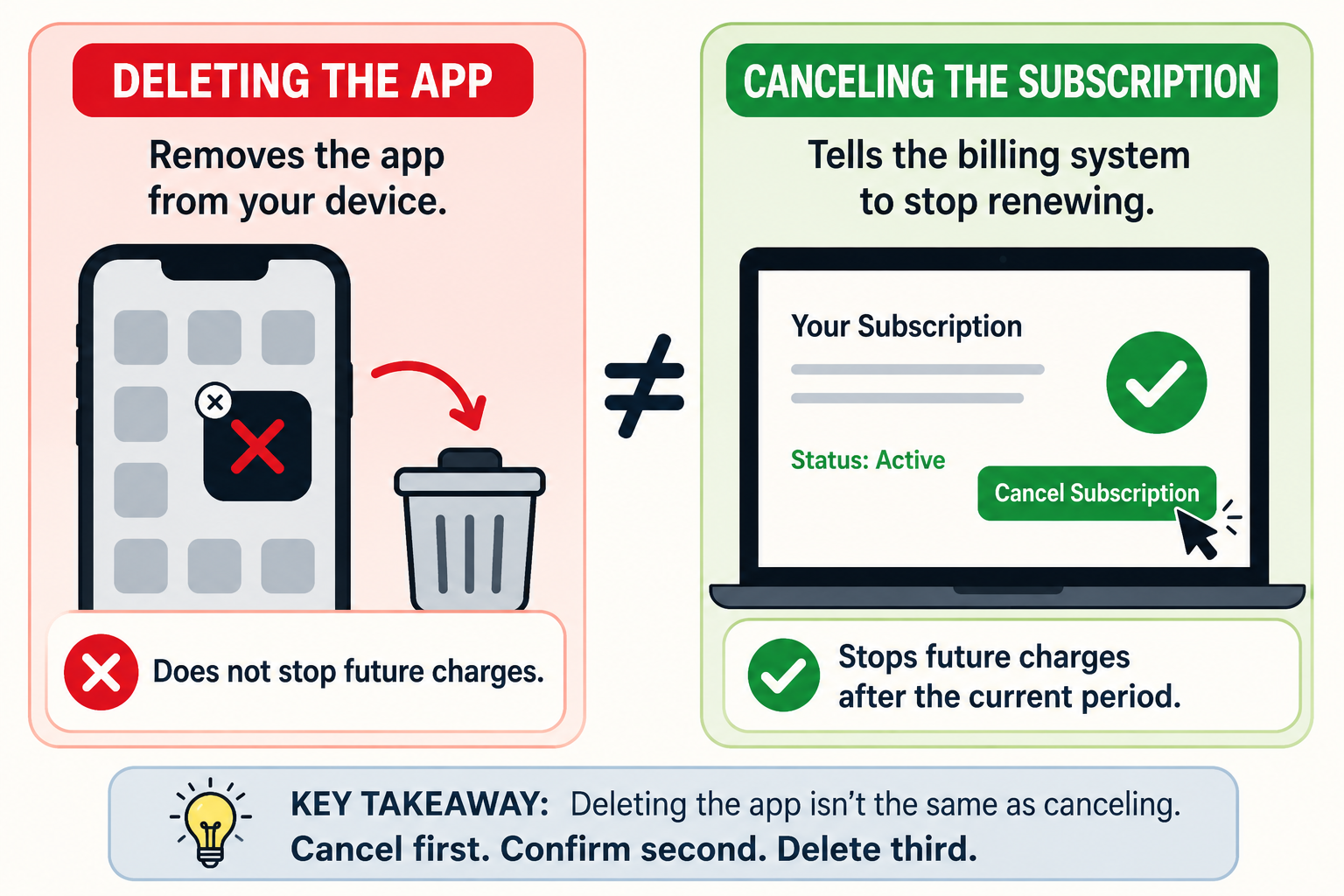
Quick answer
Deleting an app removes the app from your phone. It usually does not cancel the subscription connected to that app.
That is because the subscription is often managed somewhere else: your Apple Account, Google Play account, PayPal account, Amazon account, Roku account, or the company’s own billing system. To stop billing, you need to cancel the subscription where it is being charged — not just remove the app icon.
Apple’s own cancellation instructions point users to Settings → your name → Subscriptions → select subscription → Cancel Subscription on iPhone, not to deleting the app. Google Play also manages subscriptions separately through Payments & subscriptions → Subscriptions.
The simple difference: deleting vs. canceling
Think of the app like a remote control.
Deleting the app is like throwing away the remote. It may stop you from opening the service easily, but it does not tell the billing system to stop charging you.
Canceling the subscription is the actual instruction that says: stop renewing this plan.
That difference matters because many app subscriptions are built on negative option billing. In plain English, that means billing continues unless you actively cancel. The Not-Subscribed playbook specifically calls this out as one of the key patterns readers need help understanding: subscriptions often continue until the customer takes the correct cancellation step.
Why this happens
Most apps are not the only place where the subscription lives. The app is just the front door.
The billing may live in one of several places:
Apple App Store if you subscribed on iPhone or iPad.
Google Play if you subscribed on Android.
The company’s website if you signed up directly.
PayPal if you approved a recurring payment.
Amazon, Roku, or another platform if you subscribed through a device, channel, or marketplace.
That is why deleting the app can feel like canceling — but the billing system may never receive the message.
Example: what happens when you delete an app
Let’s say you download a fitness app, start a free trial, and later delete the app from your phone.
Here is what may actually happen:
The app disappears from your home screen.
Your login may stay active.
Your subscription may still renew.
Your card may still be charged.
You may lose the easiest way to find the cancellation button.
That last part is especially annoying. Sometimes deleting the app makes cancellation harder because you no longer have the app handy to check account settings, support links, or plan details.
Tiny subscription goblin move? Maybe. But mostly, it is billing architecture doing exactly what it was built to do.
How to cancel instead of just deleting the app
If you subscribed on iPhone or iPad
Open Settings.
Tap your name at the top.
Tap Subscriptions.
Select the subscription.
Tap Cancel Subscription.
Save the confirmation or expiration date.
Apple notes that if there is no cancel button, or if you see an expiration message, the subscription may already be canceled.
If you subscribed through Google Play
Open the Google Play Store.
Tap your profile icon.
Tap Payments & subscriptions.
Tap Subscriptions.
Choose the subscription.
Tap Cancel subscription and follow the prompts.
Google also notes that if you cannot find a subscription, it may be under a different Google account.
If you subscribed on the company’s website
Go to the service’s website.
Sign in.
Open Account, Settings, Billing, Membership, or Subscription.
Look for Manage plan, Cancel, or Turn off auto-renewal.
Follow every prompt until you see confirmation.
Do not stop at a discount offer, survey, pause option, or “are you sure?” screen. Those are often part of a retention flow — a sequence designed to slow down cancellation and give the company a chance to keep you subscribed.
If you paid through PayPal
Log in to PayPal.
Go to your settings or payments area.
Look for automatic payments or recurring payments.
Select the merchant.
Cancel the automatic payment.
This may stop future PayPal payments, but it is still smart to also check the service account so you understand what happens to your access.
Common roadblocks
“I deleted the app, but I am still being charged”
That usually means the subscription was never canceled. Check Apple, Google Play, PayPal, Amazon, Roku, and the service’s website.
“The app is gone, so I do not know where to cancel”
Search your email for words like:
“subscription”
“receipt”
“renewal”
“trial”
“Apple”
“Google Play”
the app name
the charge amount
Receipts often tell you who processed the charge.
“The subscription is not showing in Apple or Google Play”
You may have subscribed directly on the company’s website, through a different Apple or Google account, or through another billing platform.
This is where app-store billing confusion gets people. The app may be on your phone, but the subscription may belong to a different account or payment provider.
“I canceled, but the app still works”
That can be normal. Many subscriptions stay active until the end of the billing period. What matters is whether the renewal has been turned off and the subscription shows a canceled or expiring status.
How to confirm the subscription is actually canceled
Before you move on, look for proof.
Good signs include:
A confirmation email.
A subscription status that says Canceled or Expires on [date].
A renewal date that has been removed.
An Apple or Google subscription page showing an expiration date.
A screenshot of the final cancellation page.
Do not rely on memory. Future you deserves receipts.
What to do if you are still charged
If you are charged after you believe you canceled:
Recheck where the subscription was billed.
Search your email for receipts.
Confirm whether the charge came from Apple, Google, PayPal, Amazon, Roku, or the company directly.
Contact the billing provider or service support.
Save screenshots, emails, cancellation dates, and confirmation numbers.
Request a refund if the provider’s policy allows it.
Consider a card dispute only after reasonable direct attempts, unless the charge is clearly unauthorized.
The Not-Subscribed note
Deleting an app but still getting charged is one of the clearest examples of subscription sludge: the action that feels obvious to the customer is not the action the billing system requires.
It is not always a scam. It is often a mismatch between how people think subscriptions work and how app-store billing, third-party payments, and auto-renewal systems actually work.
The safer habit is simple:
Cancel first. Confirm second. Delete third.
That order saves a lot of “wait, why am I still paying for this?” moments.