
Why Is Nintendo Charging My Card?
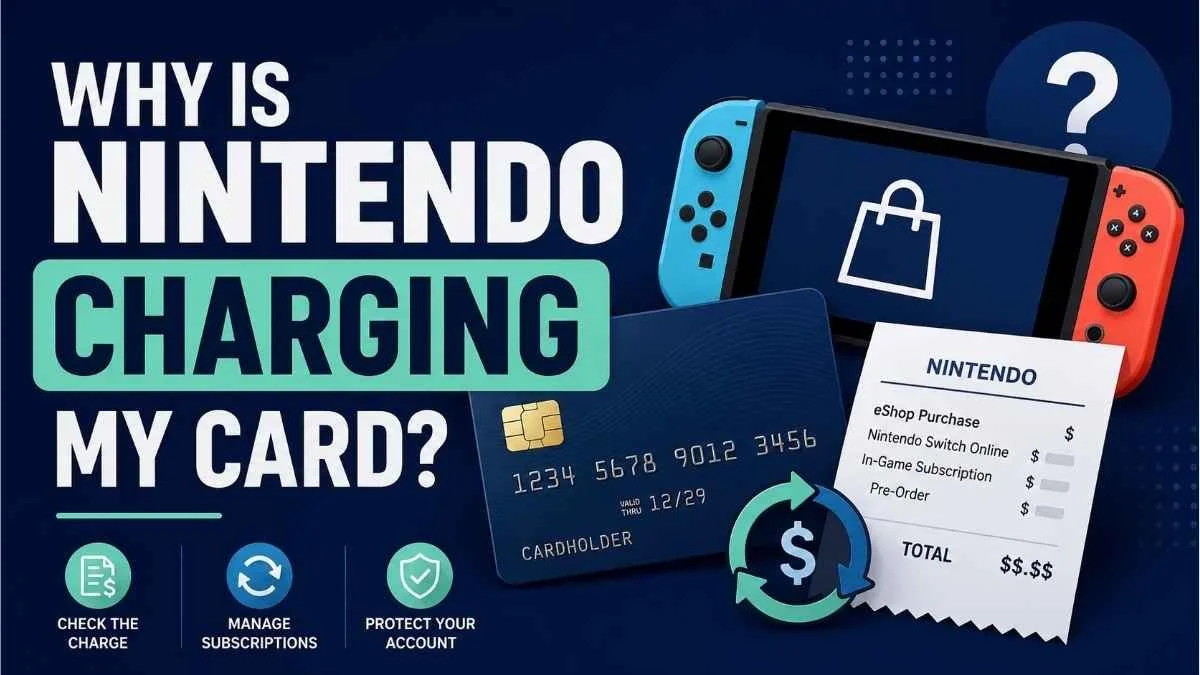
If Nintendo is charging your card, the charge may be from a Nintendo Switch Online renewal, Nintendo eShop purchase, in-game subscription, pre-order, or a purchase made by someone else with access to your payment method or Nintendo Account.
An unfamiliar Nintendo charge does not automatically mean your card was stolen. Nintendo specifically advises that an unrecognized charge could be an authorized recurring payment, a purchase by a child or family member, or a purchase you simply do not remember making.
The fastest way to figure it out is to follow the receipt trail: check your Nintendo transaction history, email receipts, subscriptions, and other Nintendo Accounts in your household before assuming the charge is unauthorized.
Common Reasons Nintendo Is Charging Your Card
1. Nintendo Switch Online renewed automatically
A Nintendo Switch Online membership can renew automatically.
Nintendo says that when a membership uses automatic renewal, available Nintendo eShop funds may be applied first. If the balance is not enough, the remaining amount can be charged to the payment method selected for the membership, such as a credit card or PayPal.
That means a Nintendo charge appearing around the end of your membership period may simply be the next renewal.
Check your current Nintendo Switch Online membership and automatic-renewal settings if the amount looks like a membership payment.
2. A Nintendo Switch Online free trial converted to a paid membership
A forgotten free trial is another possibility.
Nintendo's current seven-day Nintendo Switch Online free trial requires a payment method for automatic renewal. If automatic renewal is not turned off before the trial ends, the selected payment method can be charged for the membership.
If you recently activated a trial, check whether it converted into a paid membership.
3. Someone purchased a game or DLC from Nintendo eShop
The charge may be a normal digital purchase.
Nintendo eShop sells digital games and downloadable content (DLC). If a credit card is saved to a Nintendo Account, it can be used for later purchases.
Check purchases made recently, especially if more than one person uses your Nintendo Switch or has access to your payment information.
4. A child or family member made the purchase
A Nintendo charge on your card does not necessarily mean the purchase was made through your Nintendo Account.
Nintendo lists purchases by a child, family member, or another person with access to the payment information or Nintendo Account as one possible explanation for an unfamiliar charge.
This distinction matters when checking transaction history. Nintendo says purchases can only be viewed from the Nintendo Account that made them. A parent's purchase history, for example, does not automatically show purchases made on a child's account.
If several Nintendo Accounts are used in your household, check each relevant account.
5. An in-game subscription renewed
Some games offer subscriptions that can be purchased through Nintendo eShop.
Nintendo states that an in-game subscription can use a credit card, PayPal, or available funds as its automatic-renewal payment method.
So the recurring payment you are looking for may be connected to a particular game rather than Nintendo Switch Online itself.
Review active subscriptions as well as ordinary game purchases.
6. A pre-ordered game was charged before release
A Nintendo charge can also appear for a game you ordered earlier.
Nintendo currently says payment for an eligible Nintendo eShop pre-order is processed no sooner than seven days before the game's release date.
That timing can make the charge seem unexpected. You may have placed the order weeks or months earlier and only see the card charge shortly before launch.
If the transaction amount resembles the price of a game you are expecting, check your pre-orders.
How to Find Out What Nintendo Charged You For
Before trying to cancel anything or disputing the transaction, identify the purchase.
Check your Nintendo transaction history online
Nintendo's Account Home website provides transaction history for the Nintendo Account that made the purchase.
To check it:
Sign in to your Nintendo Account on the Account Home website.
Select Funds and Payment Methods.
Scroll down and select Transaction History.
Compare the transactions with the date and amount shown on your card statement.
Nintendo says the online transaction history can show account activity dating back up to two years.
Remember that you must sign in to the Nintendo Account that actually made the purchase.
Check your email for a Nintendo receipt
Nintendo emails a receipt for each Nintendo eShop transaction to the email address associated with the purchasing Nintendo Account.
Search your inbox for recent Nintendo receipts and compare:
Purchase date
Item purchased
Transaction amount
Nintendo Account involved
For a child Nintendo Account, Nintendo says the receipt is sent to the parent or guardian's email address.
An email search can be especially useful when you are not sure which household account made the purchase.
Check other Nintendo Accounts in your household
If the first account does not explain the charge, do not stop there.
Check accounts used by:
Your spouse or partner
Children
Other family members
Anyone else who has access to the console or payment method
A card can also be stored on more than one Nintendo Account, so finding nothing on one account does not prove the charge came from outside your household.
How to Check Whether Nintendo Switch Online Is Renewing
If the charge appears to be recurring, review your Nintendo Switch Online membership.
Nintendo says current membership information can be viewed through Your Subscriptions in Nintendo eShop, through the Nintendo Account website, or through Nintendo Switch Online on the console.
Look for:
Your current membership
Whether automatic renewal is active
The renewal payment method
If Nintendo Switch Online explains the charge and you no longer want another renewal, turn off automatic renewal.
How to Stop Future Nintendo Switch Online Charges
If an active Nintendo Switch Online membership is the source, you can cancel the subscription's automatic renewal.
On Nintendo's Account Home website:
Sign in to the Nintendo Account that purchased the membership.
Select Subscriptions.
Find the Nintendo Switch Online membership.
Select the option to cancel the subscription by turning off automatic renewal.
Confirm Turn Off Automatic Renewal.
Nintendo also provides membership-management options through Nintendo eShop on compatible Nintendo Switch systems.
Turning off automatic renewal stops the membership from renewing again. It is not the same thing as deleting your Nintendo Account.
Removing a Saved Card Is Not the Same as Canceling a Subscription
This distinction can prevent a lot of confusion.
Nintendo lets eligible Nintendo Account users delete stored credit-card information, but removing a card should not be treated as a substitute for properly managing an active subscription.
If the problem is Nintendo Switch Online or another automatically renewing subscription, check the subscription's renewal settings directly.
Likewise, deleting a game, removing software from the console, or simply stopping use of Nintendo Switch Online does not by itself confirm that automatic renewal has been turned off.
Cancel the renewal at the billing source and then confirm the subscription status.
What If You Do Not Recognize the Nintendo Charge?
If your transaction history, receipts, subscriptions, pre-orders, and household accounts still do not explain the charge, treat it as a possible account or payment-security issue.
Nintendo advises taking immediate action if you believe your credit card, PayPal account, or Nintendo Account may have been accessed by someone you do not know.
At that point:
Review your Nintendo Account for activity you do not recognize.
Secure the account and update its sign-in credentials as appropriate.
Review saved payment information.
Contact Nintendo Support about the unrecognized transaction.
Contact your card issuer or payment provider if you believe the payment method itself has been compromised or you need to discuss a dispute.
Do not assume every unfamiliar Nintendo charge is fraud before checking your accounts. But if the charge remains unexplained after those checks, do not ignore it.
Can You Get a Refund for a Nintendo Charge?
A refund should not be assumed.
Nintendo maintains specific refund and cancellation policies for digital products, including digital games, downloadable content, and subscriptions. Eligibility can depend on the product, transaction, circumstances, applicable policy, and law.
If you identified the transaction but believe it should be refunded, review Nintendo's current digital-product refund policy and contact Nintendo Support when appropriate.
If you genuinely did not authorize the transaction, follow Nintendo's process for an unrecognized or unauthorized charge rather than assuming it should be handled like an ordinary purchase refund.
How to Prevent Surprise Nintendo Charges
A few account checks can make future charges easier to recognize:
Review Nintendo Switch Online automatic-renewal settings.
Check active in-game subscriptions.
Review pre-orders you have placed.
Remove stored payment information when you no longer want it saved.
Review purchasing access for children and other household users.
Keep Nintendo purchase receipts instead of immediately deleting them.
Check which Nintendo Account is making each purchase.
Most importantly, confirm the account and transaction before changing or disputing anything.
Frequently Asked Questions
Why does Nintendo keep charging my credit card?
A repeating charge may be an automatically renewing Nintendo Switch Online membership or another subscription purchased through Nintendo eShop. Check your subscriptions, automatic-renewal settings, and transaction history to identify the exact source.
Can Nintendo Switch Online charge my card automatically?
Yes. Nintendo Switch Online supports automatic renewal in eligible regions. Depending on the payment setup and available Nintendo eShop balance, additional funds needed for the renewal may be charged to the selected credit card or other payment method.
Why did Nintendo charge me after a free trial?
Nintendo's current seven-day Nintendo Switch Online free trial requires a payment method for automatic renewal. If automatic renewal was not canceled before the trial ended, the membership can convert to a paid membership.
Why can't I find the Nintendo purchase on my account?
You may be checking the wrong Nintendo Account. Nintendo says purchase history is tied to the account that made the transaction. A parent's transaction history does not automatically include purchases made by a child account.
Check other Nintendo Accounts that could have access to the card.
Can a Nintendo pre-order charge my card later?
Yes. Nintendo says eligible Nintendo eShop pre-orders are charged no sooner than seven days before release. The purchase may therefore have been placed earlier even though the card transaction appears close to launch.
Does removing my credit card cancel Nintendo Switch Online?
Do not rely on removing the stored card as your cancellation method. Manage the Nintendo Switch Online subscription itself and turn off automatic renewal if you want to prevent the membership from renewing.
Is an unknown Nintendo charge definitely fraud?
No. Nintendo says an unfamiliar charge could be an automatic renewal, a purchase by someone you know, or a purchase you do not remember. Check transaction history, receipts, subscriptions, pre-orders, and household accounts first.
If the charge remains unexplained and you suspect unauthorized access, secure the account and contact Nintendo and your payment provider as appropriate.
Final Reminder
Seeing "Nintendo" on your card statement tells you who processed the payment, but it may not immediately tell you what was purchased or which household account made it.
Start with the receipt trail:
Check the transaction history → check email receipts → check subscriptions and pre-orders → check other household accounts.
If you find an unwanted recurring subscription, turn off its automatic renewal. If you cannot identify the transaction at all, secure your account and contact Nintendo Support.
Save any receipts, support messages, and cancellation confirmations. A clear record makes future billing problems much easier to resolve.