
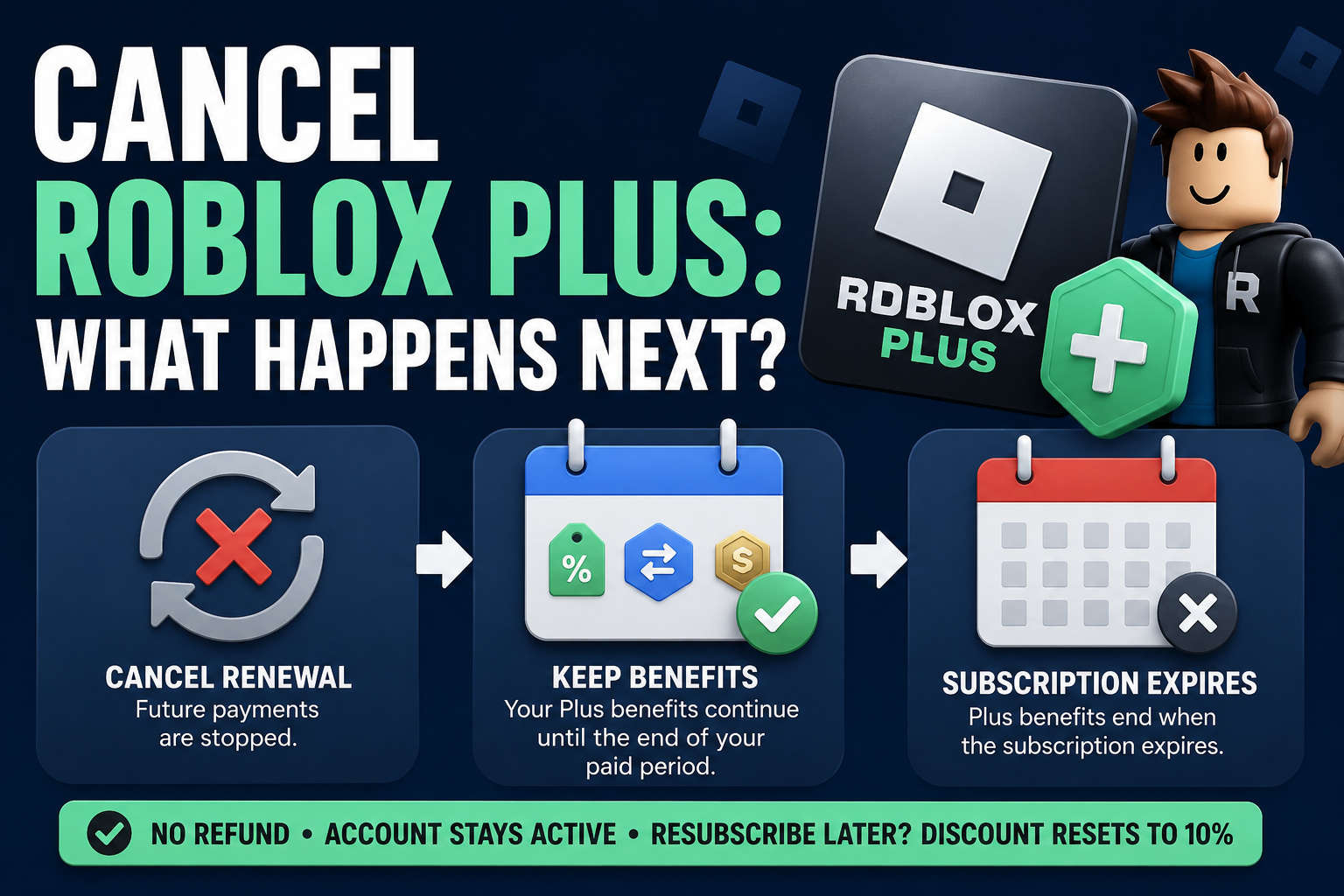
If you cancel Roblox Plus, your subscription does not normally end immediately. Canceling stops the subscription from renewing, while your Roblox Plus benefits continue for the remainder of the billing period you already paid for.
Once that paid period ends, your Roblox Plus subscription expires and you lose access to its associated benefits.
That means you do not need to wait until the last day to cancel. You can turn off renewal ahead of time and continue using Plus until the expiration date shown on your subscription.
Here is what changes, what stays the same, and what you should check before canceling.
Quick Answer: What Happens After You Cancel Roblox Plus?
When you cancel Roblox Plus:
Future automatic renewal is stopped.
Your current paid subscription remains active until its expiration date.
You keep your Plus benefits during the remaining paid period.
Your Plus benefits end when the subscription expires.
Canceling does not automatically produce a refund.
Your Roblox account itself is not deleted.
If you later subscribe again, your consecutive-month discount progression resets.
You can check your renewal and expiration information under Settings > Subscriptions in Roblox.
Your Roblox Plus Benefits Continue Until the Billing Period Ends
Canceling Roblox Plus means canceling renewal, not necessarily ending your paid access immediately.
Roblox states that subscribers who cancel continue receiving their benefits for the remainder of the time they have already paid for.
For example, suppose your subscription renews on the 20th of each month and you cancel on the 8th. You should still have Plus through the remainder of that paid subscription period. The cancellation prevents the next scheduled renewal.
This is useful if you already know you do not want another month. You can cancel before the renewal date rather than relying on yourself to remember at the last minute.
Which Roblox Plus Benefits End?
Once your paid Roblox Plus period expires, you no longer have access to the subscription or its associated benefits.
Roblox Plus currently includes benefits such as:
A 10% discount on eligible in-game items, avatar items, and other eligible purchases.
A discount that increases to 20% beginning with the third consecutive month of membership.
Free access to paid private servers across supported experiences.
Eligible Robux transfers without a transfer fee.
Access to certain Marketplace features, including trading and reselling limited items.
The ability to publish and sell avatar items.
A Roblox Plus subscriber logo.
Some benefits have eligibility rules and exclusions, so the exact value of Plus can depend on how you use Roblox.
The important cancellation point is simple: these subscription benefits remain available through your paid term and end after the subscription expires.
What Happens to Your Roblox Plus Discount?
Roblox Plus starts subscribers with a 10% discount on eligible purchases.
Beginning in the third consecutive month, that discount increases to 20%.
Canceling matters here because Roblox's Creator Hub states that if a Plus subscriber cancels and later subscribes again, the discount resets to 10%. The subscriber must then complete another two months before reaching the higher discount again.
So if you have already reached the 20% level, this is one consequence worth considering before letting the subscription expire.
Canceling renewal does not appear to erase the higher discount while your current paid membership is still active. The reset becomes relevant if the subscription ends and you later start a new Plus subscription.
What Happens to Free Private Servers?
Roblox Plus includes access to paid private servers at no additional cost across supported experiences.
You can continue using that Plus benefit while your subscription remains active after cancellation.
Once the subscription expires, however, you should no longer expect the Roblox Plus private-server benefit to apply.
This does not mean your Roblox account or the experiences you play are deleted. It means the subscription benefit that provides free access is no longer active.
Do You Lose Your Robux When You Cancel Roblox Plus?
Canceling Roblox Plus is not the same thing as deleting your Roblox account.
Roblox Plus itself is a benefits-only subscription and does not include a standard monthly Robux stipend.
Roblox also offers optional Plus 500, Plus 1000, and Plus 2000 bundles. Those bundles combine Roblox Plus with 500, 1,000, or 2,000 recurring monthly Robux.
If you are subscribed through one of these bundles, canceling stops future subscription renewal. The important distinction is between stopping the subscription and deleting your Roblox account: canceling Plus does not, by itself, delete the account.
If your main reason for subscribing is the recurring Robux included in a Plus bundle, remember that allowing the subscription to expire means you should not expect another monthly bundle allocation through that canceled subscription.
Does Canceling Roblox Plus Delete Your Roblox Account?
No. Canceling Roblox Plus and deleting a Roblox account are different actions.
Canceling the subscription stops future renewal and eventually removes the benefits attached to Roblox Plus.
It does not serve as an account-deletion request.
Your Roblox account therefore remains separate from the status of your Plus subscription.
This distinction matters with almost any subscription service: ending a paid membership does not necessarily mean deleting the underlying account.
Do You Get a Refund When You Cancel Roblox Plus?
Do not assume cancellation means you will receive money back.
Roblox's current Roblox Plus support documentation says that Roblox Plus purchases are final and non-refundable. Canceling allows you to use your benefits until the billing cycle ends rather than refunding the unused portion of the period.
If you are canceling specifically because of a billing problem or an unauthorized transaction, use the appropriate official Roblox or payment-provider support process rather than assuming the normal cancellation process will reverse the charge.
When Should You Cancel Roblox Plus?
Roblox says you can cancel recurring Roblox Plus at any time before the renewal date.
If you know you do not want another billing period, it is usually better to cancel before that renewal rather than wait until the last moment.
You can review your subscription information by going to:
Open Settings in Roblox.
Select Subscriptions.
Find your active Roblox Plus subscription.
Review the listed renewal and expiration information.
That lets you see how much paid access remains before deciding when to turn off renewal.
How to Cancel Roblox Plus
Roblox currently provides the following cancellation path:
Go to Settings > Subscriptions.
Find the Roblox Plus subscription you want to cancel.
Select the arrow (>) to open its details.
Select Cancel Renewal.
Follow the prompts to complete the cancellation.
Roblox Plus may be purchased through the web or desktop experience as well as Apple and Google Play.
Roblox's general Subscription Terms say subscriptions can be canceled through the platform where they were purchased. If your billing is managed by an app store or you have trouble managing the subscription in Roblox, check the subscription controls associated with the original purchase platform.
After canceling, return to your subscription information and verify the expiration or renewal status rather than assuming the process worked.
What If You Cannot Log In to Cancel?
If you cannot access the Roblox account containing the subscription, Roblox directs users to contact Roblox Support and provide the username of the subscribed account.
Timing matters because Roblox says cancellation requests need to be received before the renewal date to stop the upcoming renewal.
Do not create another Roblox account simply to try to manage the subscription. The subscription is tied to the account on which it was purchased and cannot be transferred to another account.
What Happens If You Change Your Mind?
You can subscribe to Roblox Plus again after your previous subscription has ended, subject to the subscription's current availability and terms.
However, there is an important consequence for returning subscribers:
Your Plus discount progression resets.
A returning subscriber starts again at the 10% eligible-purchase discount instead of immediately returning to the 20% discount earned after three consecutive months.
That makes canceling different from merely switching off renewal for a few days and turning it back on before the subscription actually expires. If retaining your consecutive membership benefits matters to you, review your expiration date before allowing the subscription to lapse.
Roblox Plus Is Not the Same as Roblox Premium
Roblox Plus and Roblox Premium are separate subscriptions.
Roblox introduced Plus on April 30, 2026 and stopped offering new Roblox Premium memberships for purchase. Existing Premium subscribers can continue their memberships, and Roblox has allowed Premium and Plus to exist on the same account.
This distinction is especially important if you currently have both.
Canceling Roblox Plus does not mean you have canceled Roblox Premium.
Likewise, canceling an existing Premium membership is a separate decision. Roblox states that Premium memberships are no longer available for new purchase, so an existing Premium subscriber who cancels cannot simply sign back up for Premium later.
Check Settings > Subscriptions carefully so you know which subscription you are changing.
Before You Cancel Roblox Plus
Take a minute to check three things:
Your expiration date.
This tells you how long your current benefits should remain active.Your current discount level.
If you have reached the 20% discount after consecutive months, remember that letting Plus expire and later resubscribing resets the discount to 10%.Which subscription you are canceling.
Roblox Plus, a Plus Robux bundle, Roblox Premium, and subscriptions sold inside individual Roblox experiences are not necessarily the same subscription.
Knowing exactly what is active can prevent you from canceling the wrong recurring payment.
Frequently Asked Questions
Does Roblox Plus stop immediately when you cancel?
Normally, no. Roblox says you continue receiving your Roblox Plus benefits for the remainder of the period you already paid for. The subscription then expires instead of renewing for another billing period.
Will Roblox charge me again after I cancel Plus?
Canceling before the next billing date is intended to stop the next automatic renewal. Check the subscription details afterward to verify the expiration and renewal status.
Can I keep using Roblox after canceling Plus?
Yes. Canceling Roblox Plus is not the same as deleting your Roblox account. You can continue using Roblox without an active Plus subscription, although Plus-specific benefits end when the subscription expires.
Do I get a Roblox Plus refund after canceling?
Roblox's current Plus support page states that Roblox Plus purchases are final and non-refundable. Cancellation instead leaves the benefits available through the end of the current billing cycle.
What happens to the 20% Roblox Plus discount if I cancel?
You can continue receiving your active subscription benefits through the remaining paid period. If the subscription ends and you later subscribe again, Roblox says your discount resets to 10% and increases again after two consecutive months.
Does canceling Roblox Plus cancel Roblox Premium too?
No. Roblox Plus and Roblox Premium are separate subscriptions. If both are active on your account, review each subscription separately.
Does Roblox Plus include monthly Robux?
The basic Roblox Plus subscription does not include a monthly Robux stipend. Roblox also offers Plus 500, Plus 1000, and Plus 2000 bundles that combine Plus with recurring monthly Robux.
Where can I see when Roblox Plus expires?
Go to Settings > Subscriptions. Roblox says this page shows information including your renewal and expiration dates.
The Bottom Line
Canceling Roblox Plus mainly does one thing right away: it stops the subscription from renewing.
You keep the Plus benefits you have already paid for until the current subscription period expires. After that, Plus-specific benefits end.
The biggest details to remember are:
Cancellation does not normally remove your paid benefits immediately.
Canceling Roblox Plus does not delete your Roblox account.
Roblox Plus purchases are generally non-refundable under Roblox's current Plus policy.
If you let Plus expire and later resubscribe, your discount progression starts again at 10%.
Roblox Plus and Roblox Premium are separate subscriptions.
Before leaving the subscription page, confirm the expiration date and save a record of the cancellation or renewal status. That gives you something to check against your next billing statement.
For the latest account-specific information, review the official Roblox Plus support page.