
What Happens When You Cancel Xbox Game Pass?
Canceling Xbox Game Pass stops the subscription from renewing, but that does not necessarily mean you lose access the moment you cancel.
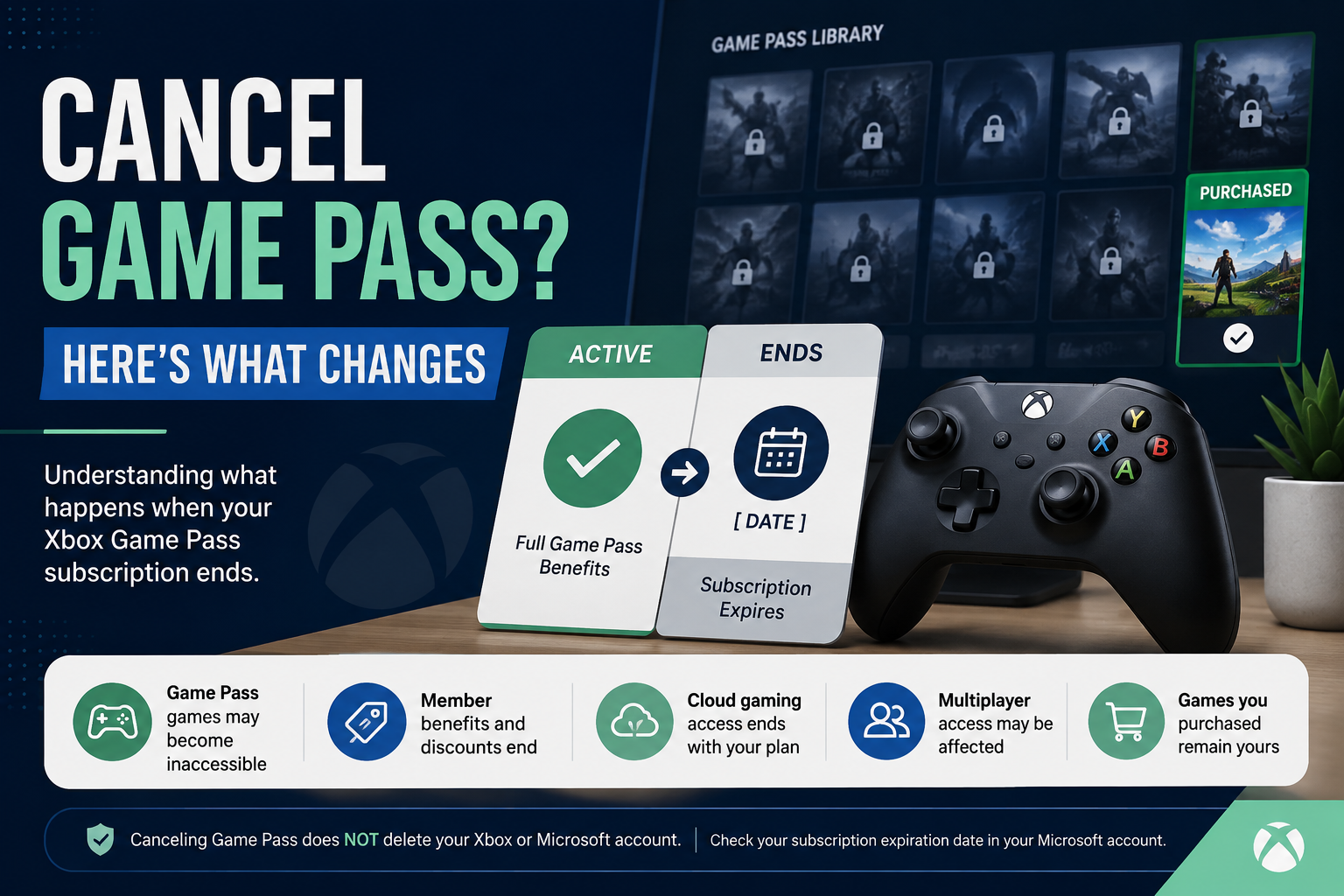
If your subscription is set to expire at the end of its paid period, you can generally keep using your Game Pass benefits until the expiration date shown in your Microsoft account. Once the subscription expires, you lose subscription-based access to Game Pass games and other benefits included with your plan.
Your Microsoft/Xbox account is not deleted just because you cancel Game Pass.
Here is what to expect.
Quick Answer: What Do You Lose When Xbox Game Pass Ends?
After your Xbox Game Pass subscription expires:
You lose subscription-based access to games provided through the Game Pass catalog.
Benefits tied to your particular Game Pass membership end.
Member-only discounts and other plan-specific benefits are no longer available through that expired membership.
Cloud gaming access tied to an eligible Game Pass plan ends.
Online console multiplayer access may be affected if your Game Pass plan was providing that benefit and you do not have another membership that includes it.
Games you purchased separately remain yours, subject to the normal license terms for those purchases.
Canceling Game Pass does not delete your Microsoft/Xbox account.
Exactly which benefits disappear depends on your Game Pass plan. Xbox notes that Game Pass titles, features, availability, platforms, and other benefits vary by plan and can change over time.
Does Xbox Game Pass Stop Immediately When You Cancel?
Not necessarily.
There is an important difference between stopping future renewal and ending access immediately.
If you turn off recurring billing, Microsoft says you will not be billed for another subscription period. Your existing subscription remains paid through its expiration date, so you can continue using its benefits until then.
Check your Microsoft account's Services & subscriptions page for the expiration or next billing information associated with your membership.
If the account shows Turn on recurring billing, that generally indicates recurring billing is already off and the subscription is scheduled to expire on the date shown.
A cancellation involving a refund can work differently, so pay attention to the options Microsoft presents during the cancellation process.
What Happens to Your Game Pass Games?
Xbox says Game Pass subscribers have access to games in the Game Pass library until either:
The Game Pass subscription is canceled or expires, or
The game itself leaves the Game Pass library.
Once you no longer have the subscription access required for a Game Pass title, having the game installed does not by itself give you a license to keep playing it.
If you want to continue playing, you may need to:
Buy the game, or
Subscribe again to a Game Pass plan that provides access to it.
There is another important distinction: a game you bought is different from a game you were simply accessing through Game Pass.
Canceling Game Pass does not cancel your separate game purchases.
Do Installed Game Pass Games Get Deleted?
Canceling the subscription and uninstalling a game are separate actions.
The important change is your license to access the Game Pass title, not simply whether the game's files remain installed on the device.
In other words, leaving a Game Pass game installed does not let you bypass an expired subscription. If the game requires Game Pass entitlement and you no longer have it, you will need another valid way to access that title.
If you later buy the game or regain eligible subscription access, you may be able to continue playing without treating cancellation itself as an account deletion.
What Happens to Your Saved Games and Progress?
Canceling Game Pass should not be confused with deleting your Xbox profile or Microsoft account.
Your game progress is associated with the game and Xbox ecosystem rather than Game Pass acting as a delete button for your entire account.
That distinction matters if you later buy a game or subscribe again.
However, save behavior can depend on the particular game, platform, account, and whether the title supports cloud synchronization. For important progress, use the same Xbox/Microsoft account and confirm the specific game's save behavior before changing platforms or accounts.
The safest rule is simple:
Cancel the subscription, not the account, if your goal is only to stop paying for Game Pass.
What Happens to Games You Bought With a Game Pass Discount?
Games you purchased separately are purchases, not temporary Game Pass catalog access.
That means canceling Game Pass does not turn a game you bought into a subscription-only game.
The same principle is useful when deciding whether to cancel: if there is a Game Pass title you know you want to keep playing, consider whether buying it makes more sense than keeping the subscription solely for that game.
Member pricing and discounts themselves are benefits of membership, however, so do not assume an expired membership will continue giving you Game Pass member pricing on future purchases.
What Happens to DLC and Add-Ons?
Canceling Game Pass does not automatically erase separately purchased add-ons.
The bigger issue is whether you still have access to the base game required to use them.
For example, suppose you bought downloadable content for a game but accessed the base game only through Game Pass. If your Game Pass access expires, owning the add-on does not necessarily give you ownership of the base game.
You may need to buy the base game or regain eligible subscription access before you can use that content again.
This is worth checking before canceling if you have spent money on DLC for a Game Pass title you do not own.
What Happens to Online Multiplayer?
This depends on your membership and the game.
Some Game Pass plans include online console multiplayer as a membership benefit. If that benefit ends with your subscription and you do not have another qualifying membership, access to multiplayer features that require it may also end.
Do not assume that canceling one Game Pass plan affects every game in exactly the same way.
Free-to-play games and other titles may have different multiplayer requirements, while PC and console benefits can also differ.
Check the current benefits of your specific Game Pass plan if online multiplayer is one of the main reasons you subscribe.
What Happens to Cloud Gaming?
If cloud gaming is included as a benefit of your Game Pass membership, you lose that membership-based access when the qualifying subscription ends.
Xbox's current Game Pass offering varies by plan, platform, region, and title, so cloud gaming should be treated as a plan-specific benefit rather than something every Game Pass cancellation affects identically.
If cloud gaming matters to you, check your current plan benefits before allowing the subscription to expire.
Do You Lose Game Pass Perks and Member Discounts?
Membership-specific benefits end when the qualifying membership ends.
Depending on your plan, these can include things such as:
Game Pass member discounts
Member deals
Perks
EA Play access
Riot Games benefits
Cloud gaming
Online console multiplayer
Access to particular Game Pass libraries
Not every benefit is included with every Game Pass plan.
Also remember that a perk you already redeemed can have its own terms. Do not assume that every previously redeemed benefit disappears in exactly the same way as your basic Game Pass library access.
Does Canceling Xbox Game Pass Delete Your Xbox Account?
No.
Canceling a subscription is not the same thing as deleting your Microsoft account.
Your Microsoft/Xbox account can contain much more than a Game Pass subscription, including your profile, game purchases, achievements, friends, payment information, and other Microsoft services.
If your goal is simply to stop future Game Pass charges, manage the subscription rather than trying to delete the account.
This is one of the most important distinctions to understand before making changes.
Can You Still Play Games You Own?
Yes, canceling Game Pass does not cancel separate digital game purchases associated with your account.
The question to ask is:
Did I buy this game, or was Game Pass giving me access to it?
If you bought it separately, the expiration of Game Pass does not turn that purchase into a Game Pass rental.
If you only had access because the game was in the Game Pass catalog, you will need a valid entitlement—such as purchasing the game or obtaining qualifying subscription access—to continue playing after that access ends.
Can You Resubscribe to Xbox Game Pass Later?
Yes. Microsoft provides renewal and resubscription options for subscriptions.
That makes turning off recurring billing useful when you simply want to stop the next automatic charge without deleting your account.
Before canceling, note your expiration date so you know how long your existing membership should remain available.
If you decide later that you want Game Pass again, review the plans and current benefits at that time rather than assuming the options will be identical to the ones available when you canceled.
Do You Get a Refund When You Cancel Xbox Game Pass?
Do not assume that canceling Game Pass automatically means you will receive a refund.
Xbox currently states that if an unwanted recurring Game Pass payment has already been processed, you may be entitled to a refund of the most recent recurring billing charge if you cancel within 30 days after payment. Xbox describes this right as limited to one time per Microsoft account, per subscription product.
Other refund rights or options can depend on your location, subscription, purchase circumstances, and applicable law.
The cancellation flow should show available options when applicable.
If your main goal is simply to prevent another charge, cancel or turn off recurring billing before the next billing date rather than relying on a later refund.
What Should You Check Before Canceling Game Pass?
Before ending the membership, review a few things:
Check your expiration or next billing date. This tells you when another payment may occur and, if renewal is turned off, when your current access is expected to end.
Identify Game Pass games you still play. Decide whether you want to finish them, buy them, or lose access when the membership expires.
Check DLC you purchased. Make sure you understand whether you own the required base game.
Review plan-specific benefits. Multiplayer, cloud gaming, EA Play, discounts, Perks, and other benefits depend on the plan.
Confirm recurring billing is actually off. If Microsoft shows Turn on recurring billing, the subscription is generally already scheduled to expire.
Save your confirmation. Keep the cancellation confirmation or take a screenshot showing the expiration date and billing status.
A screenshot today can save hours later.
Canceling Game Pass vs. Deleting Your Account
ActionWhat It DoesTurn off recurring billingStops the subscription from automatically renewingLet Game Pass expireEnds subscription-based Game Pass access and benefitsUninstall a Game Pass gameRemoves the game from that device; it does not cancel billingDelete your Microsoft accountA much broader account action that should not be used merely to stop Game PassBuy a Game Pass titleGives you a separate purchase entitlement subject to the purchase terms
If your goal is simply to stop paying for Game Pass, focus on the subscription.
Frequently Asked Questions
Will my Xbox Game Pass games still work after I cancel?
They can continue working while your subscription remains active. Once your Game Pass access expires, games you accessed only through the Game Pass catalog generally require another valid entitlement, such as buying the game or obtaining qualifying subscription access.
Do I lose games I purchased while I had Game Pass?
Canceling Game Pass does not cancel games you purchased separately.
Does canceling Game Pass delete my saved games?
Canceling Game Pass is not the same as deleting your Microsoft/Xbox account. Save availability can depend on the game and platform, so use the same account and verify a particular game's save behavior when the progress is important.
Can I keep playing until my next billing date?
If you have simply turned off recurring billing, Microsoft says subscription benefits continue until the subscription's expiration date. Check Services & subscriptions for the date shown on your account.
Will I still have online multiplayer?
That depends on the game and whether another active membership or entitlement provides the required multiplayer access. Game Pass benefits vary by plan.
Can I subscribe again later?
Yes. Microsoft provides renewal and resubscription options. Review the current Game Pass plans when you return because plans and benefits can change.
Does canceling automatically give me a refund?
No. Refund eligibility should not be assumed. Xbox currently identifies a limited refund right for certain recent recurring billing charges, and other eligibility can vary by circumstances and region.
Bottom Line
Canceling Xbox Game Pass is mainly about ending subscription access and future renewal. It does not mean deleting your Xbox account or wiping out games you purchased separately.
If recurring billing is turned off, check the expiration date in your Microsoft account. Use the remaining subscription period to decide which Game Pass games you want to finish or buy, and make sure you understand which multiplayer, cloud-gaming, discount, and other benefits will end with your particular plan.
Most importantly, confirm that recurring billing is off and keep a record of the cancellation.
Cancel. Confirm. Understand.
Authoritative External Sources
Xbox Game Pass official page and FAQ — Xbox
Verified: August 9, 2026.
Supports the central claim that subscribers have Game Pass library access until the subscription is canceled/expires or a game leaves the library. It also states that Game Pass features and availability vary by plan, platform, region, and time. citeturn1search4turn1search6
Official Xbox Game Pass pageXbox Game Pass recurring-billing/refund information — Xbox
Verified: August 9, 2026.
Supports stopping recurring billing before the next charge and Xbox's current statement concerning the limited refund right for a recent recurring billing payment. citeturn1search6turn1search10Turn recurring billing on or off — Microsoft Support
Verified: August 9, 2026.
Supports the distinction between stopping renewal and retaining subscription benefits until expiration. citeturn0search3
Microsoft recurring billing guidanceCancel your Microsoft subscription — Microsoft Support
Verified: August 9, 2026.
Supports Microsoft account subscription-management behavior, including the significance of seeing Turn on recurring billing. citeturn0search4
Microsoft subscription cancellation guidanceMicrosoft subscription refund policy — Microsoft Support
Verified: August 9, 2026.
Used as supporting refund-policy context; Microsoft expressly notes that Xbox subscriptions have their own cancellation/refund guidance. citeturn0search0
Microsoft subscription refund policy