
Quick Answer
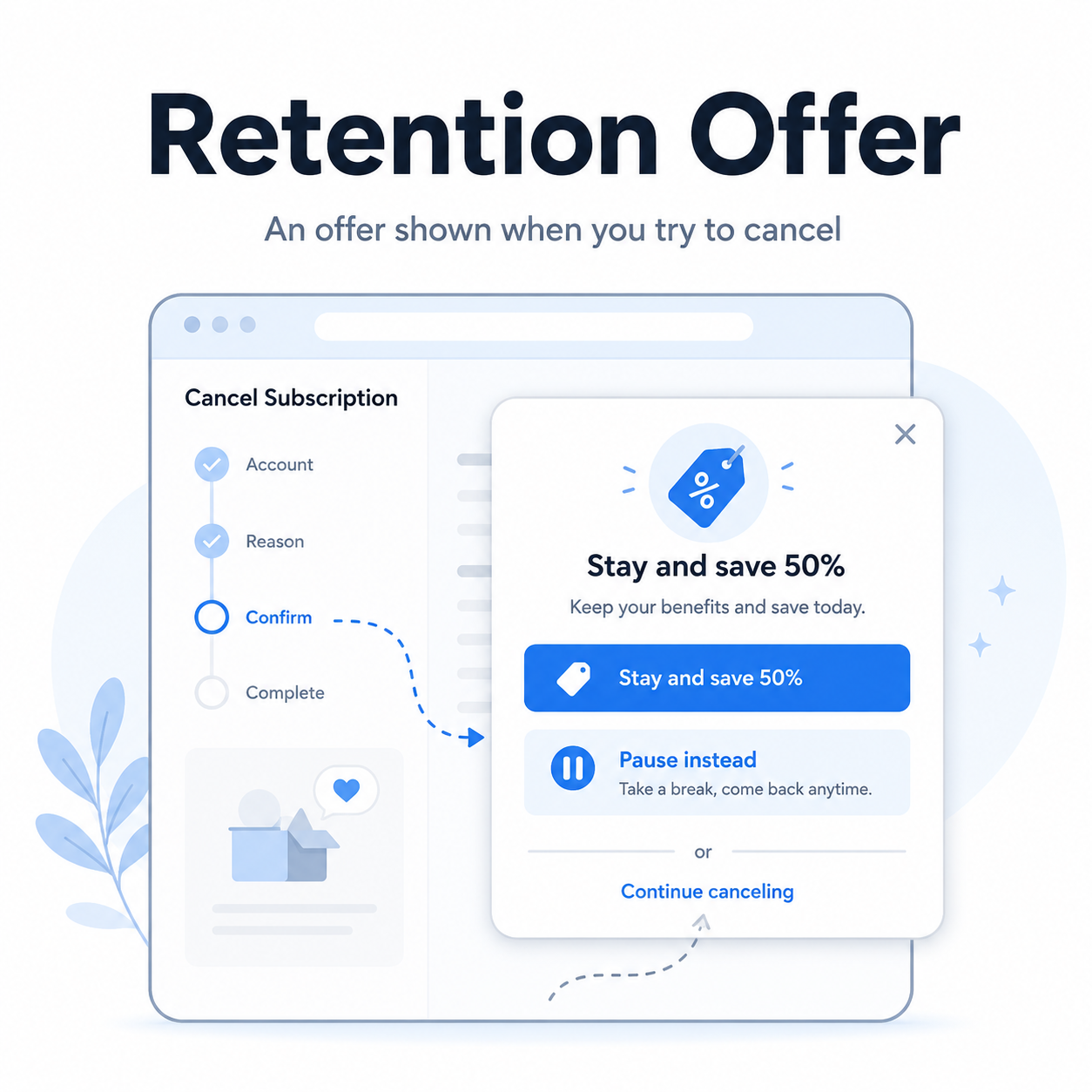
A retention offer is an offer a company shows you when you try to cancel, downgrade, or pause a subscription.
It might look like:
“Stay and get 50% off for 3 months”
“Pause your membership instead”
“Switch to a cheaper plan”
“Are you sure you want to lose these benefits?”
“Chat with us before you cancel”
Sometimes retention offers are genuinely useful. Other times, they are part of a retention flow: a sequence of prompts, discounts, warnings, surveys, and confirmation screens designed to slow you down before cancellation is complete.
The key is simple: a retention offer is not the same thing as canceling. If you accept it, your subscription usually continues.
What a Retention Offer Means
A retention offer is a company’s attempt to keep you subscribed.
Subscription businesses often spend money to get new customers. So when an existing customer tries to leave, the company may offer something to keep that customer around. That could be a lower price, extra features, a free month, a temporary pause, or a reminder of what the customer will lose.
That does not automatically make retention offers bad. Sometimes they help people avoid canceling something they still use. But they can become frustrating when they make the cancellation path confusing, unclear, or longer than necessary.
Not-Subscribed describes this kind of experience as cancellation friction: extra steps, confusion, or effort added to the cancellation process. The site’s playbook defines retention flows as “the sequence of offers, prompts, questions, or warnings shown when a customer tries to cancel.”
Common Types of Retention Offers
1. The discount offer
This is the classic version.
You try to cancel and see something like:
“Stay for $4.99/month for the next 3 months.”
This may be worth considering if you still use the service and the discounted price makes sense. But check what happens after the discount ends. Many offers automatically return to the normal price unless you cancel before the promo period expires.
2. The pause option
Some services offer to pause your subscription instead of canceling it.
This can be useful for fitness apps, meal kits, software tools, and streaming services you may want again later. But read the details carefully.
Check:
How long the pause lasts
Whether billing restarts automatically
Whether you will get a reminder before it restarts
Whether you can still cancel while paused
A pause can be helpful. It can also become a quieter version of “not canceled yet.”
3. The downgrade offer
Instead of canceling, you may be offered a cheaper plan.
This can work well if you only need basic access. For example, a software subscription may offer fewer features for a lower monthly price.
Before accepting, ask yourself: “Would I sign up for this cheaper plan today if I were not already subscribed?”
That question cuts through the fog nicely.
4. The bonus feature offer
Some services offer extra storage, credits, premium features, or loyalty perks if you stay.
This can be tempting, but make sure the bonus is something you actually need. A perk you do not use is just decoration on a bill you still pay.
5. The warning screen
Not every retention offer looks like a discount.
Sometimes it is a screen that says you will lose benefits, history, access, downloads, rewards, or account features. Some warnings are legitimate. Others are framed in a way that makes canceling feel riskier than it really is.
Read these screens carefully, but do not assume a warning means you cannot cancel.
6. The “contact us first” offer
Some companies send you to chat, phone support, or email before canceling.
This may lead to a save attempt, where a support agent offers a discount or alternative plan. The offer may be useful, but remember your original goal. If you want to cancel, say that clearly and keep asking for cancellation confirmation.
Is a Retention Offer a Dark Pattern?
Not always.
A retention offer can be fair when it is clear, optional, and easy to decline. For example, “Stay and save 30%, or continue canceling” is straightforward if both choices are equally clear.
It becomes more concerning when the design nudges, delays, tricks, or pressures the user into staying. That is where retention offers can overlap with dark patterns or subscription sludge.
Watch for:
A large colorful “Keep my plan” button and a tiny “Continue canceling” link
Multiple screens asking you to reconsider
Confusing wording that makes it unclear whether you canceled
Guilt-based button text, also known as confirmshaming
A discount that restarts billing automatically without a clear reminder
A pause option presented as if it is cancellation
The problem is not that a company made an offer. The problem is when the offer makes it harder to complete the choice you already made.
Should You Accept a Retention Offer?
Maybe. But do a quick gut check first.
Ask:
Do I still use this subscription?
If not, a discount just makes an unused subscription cheaper.When does the offer end?
A three-month discount can turn back into the full price quickly.Will billing continue automatically?
In most cases, yes.Can I cancel easily later?
Make sure accepting the offer does not restart a commitment or make cancellation harder.Would I buy this again today?
This is the cleanest test. If the answer is no, keep canceling.
How to Decline a Retention Offer Without Getting Sidetracked
If you are trying to cancel and a retention offer appears, slow down for a moment.
Look for wording like:
“Continue cancellation”
“No thanks”
“Cancel anyway”
“I still want to cancel”
“Proceed to cancel”
“End subscription”
Be careful with buttons like:
“Keep benefits”
“Accept offer”
“Pause instead”
“Remind me later”
“Stay subscribed”
Those usually do not cancel the subscription.
After you decline the offer, keep going until you see a final cancellation screen or receive a confirmation email.
How to Confirm You Actually Canceled
This part matters.
After passing through a retention offer, make sure the subscription is truly canceled. Look for:
A confirmation email
A canceled status in your account
An expiration date instead of a renewal date
A message saying your plan will not renew
A receipt or account page showing no future billing
A screenshot of the cancellation confirmation
Do not stop at the discount screen, survey screen, or “are you sure?” screen. Cancellation is not complete until the account or billing provider says it is complete.
What If You Accepted a Retention Offer by Mistake?
It happens. These screens can be confusing.
Try this:
Go back to your account settings or subscription page.
Check whether your plan still shows as active.
Look for a cancellation, manage plan, or turn off auto-renewal option.
Cancel again if needed.
Save the confirmation screen.
Search your email for the updated subscription terms.
Contact support if the account does not show a clear cancellation option.
If you are billed through Apple, Google Play, Amazon, Roku, PayPal, or another billing provider, check there too. Canceling inside the service may not control billing if the subscription is managed somewhere else.
The Not-Subscribed Note
Retention offers are part of the subscription economy’s basic math: companies want customers to stay, and customers sometimes need a clean exit.
A fair retention offer gives you a clear choice. A frustrating one turns cancellation into a maze of discounts, warnings, surveys, and “just one more screen” moments.
The practical rule: consider the offer only if it serves you. Otherwise, keep going until you see proof that billing has stopped.
Cancel smarter. Subscribe slower.