
Quick Answer
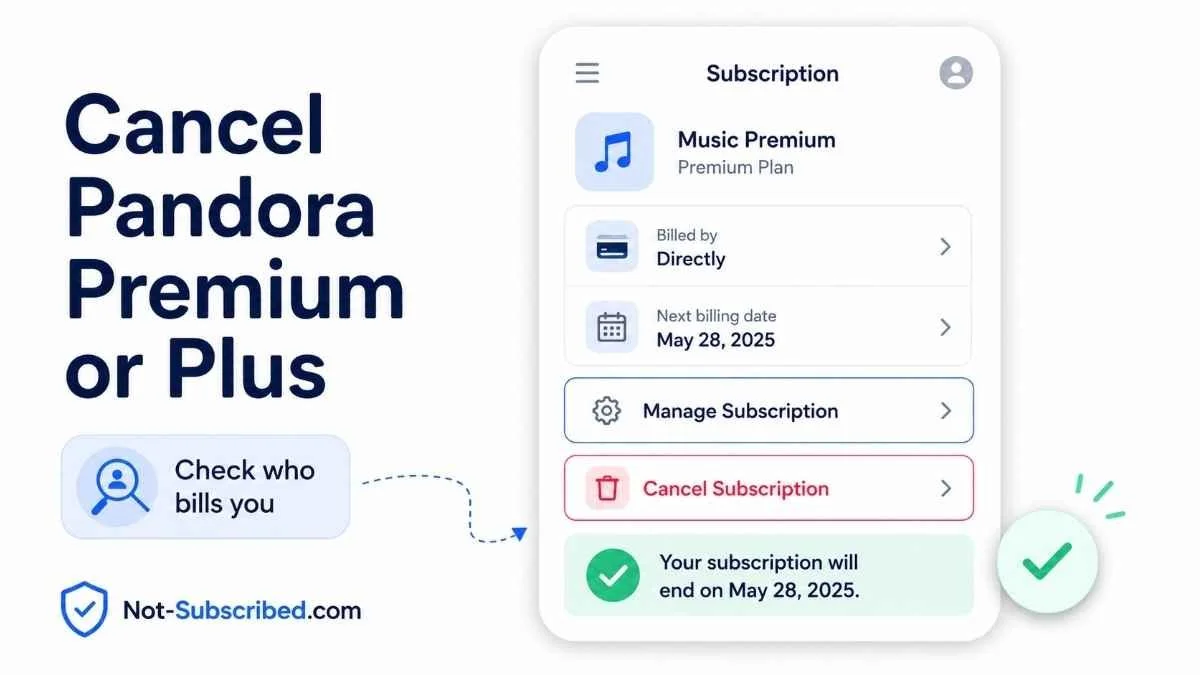
You can cancel Pandora Premium or Pandora Plus from the same place that bills you. If you subscribed directly through Pandora, sign in on a computer, go to your subscription settings, choose Switch Plans, then select Cancel Subscription. If you subscribed through Apple, Google Play, Amazon, Roku, or another billing provider, you usually need to cancel through that provider instead. Pandora says subscriptions bought through external services must be managed using that service’s tools.
Canceling stops future auto-renewal. It usually does not delete your Pandora account, and your paid features may remain active until the end of the current billing period. Pandora’s subscription terms say fees are generally non-refundable unless required by law.
Before You Cancel Pandora
Before you start clicking around, check who is billing you. This matters more than the device you listen on.
Look for the charge on your bank or card statement. It may point to:
Pandora or Pandora.com
Apple or Apple.com/bill
Google Play
Amazon or Amazon Appstore
Roku
A mobile carrier or another third-party billing provider
Do not rely on deleting the Pandora app. Uninstalling an app does not cancel the subscription. Google specifically warns that uninstalling an app will not cancel a Google Play subscription.
Also check:
Your renewal date
Whether you are on Pandora Plus, Premium, Premium Family, or a trial
Which email account received the receipt
Whether you subscribed directly or through an app store
Whether you want to downgrade instead of cancel
How to Cancel Pandora If You Are Billed Directly by Pandora
Use this path if your receipt or statement shows Pandora as the billing source.
Go to Pandora in a web browser.
Sign in to your account.
Open your account menu or profile icon.
Go to Settings.
Select Subscription.
Choose Switch Plans.
Select Cancel Subscription.
Follow the prompts until Pandora confirms cancellation.
Pandora’s help page says the direct-billed cancellation flow uses Switch Plans, then Cancel Subscription.
Save the confirmation screen or email. This is your proof if billing continues later.
How to Cancel Pandora on iPhone or iPad
Use this path if Pandora is billed through your Apple account.
Open the Settings app.
Tap your name at the top.
Tap Subscriptions.
Select Pandora.
Tap Cancel Subscription.
Confirm the cancellation.
Apple notes that you may need to scroll to find the cancel button. If there is no cancel button, or you see an expiration message, the subscription may already be canceled.
If You Do Not See Pandora in Apple Subscriptions
Check that you are signed into the same Apple Account used to subscribe. Apple recommends searching your email for “receipt from Apple” or “invoice from Apple” to identify which Apple Account was charged.
How to Cancel Pandora Through Google Play
Use this path if Pandora is billed through Google Play.
Open the Google Play Store.
Tap your profile icon.
Tap Payments & subscriptions.
Tap Subscriptions.
Select Pandora.
Tap Cancel subscription.
Follow the instructions to confirm.
Google says you can continue using subscription content until the next renewal date after canceling auto-renewal.
If You Do Not See Pandora in Google Play
Check whether you are signed into the right Google account. If you have multiple Gmail accounts, the subscription may be hiding under the one you used when you signed up.
How to Cancel Pandora Through Amazon
Use this path if your Pandora subscription was purchased through Amazon or the Amazon Appstore.
Sign in to your Amazon account.
Go to Your Memberships and Subscriptions.
Find Pandora.
Select Manage Subscription.
Choose Cancel Subscription or turn off auto-renewal.
Confirm the cancellation.
Amazon’s subscription help page says users can manage and cancel subscriptions from Your Memberships and Subscriptions.
How to Cancel Pandora Through Roku
Use this path if Roku is billing you for Pandora.
On Roku’s Website
Sign in to your Roku account.
Go to your subscriptions.
Find Pandora under active subscriptions.
Select Manage subscription.
Choose Turn off auto-renew.
On a Roku Device
Press the Home button on your Roku remote.
Highlight the Pandora app.
Press the Star button.
Select Manage subscription.
Choose Turn off auto-renew.
Roku says subscriptions continue until the end of the billing period after auto-renew is turned off.
Can You Downgrade Pandora Premium to Pandora Plus?
Possibly. If you do not want to lose paid Pandora features completely, look for Switch Plans in your Pandora subscription settings. Pandora’s terms say downgrades may take effect after the current access period ends, and the downgraded plan can still renew automatically unless you cancel or disable auto-renewal.
In plain English: downgrading is not the same as canceling. If your goal is to stop future charges entirely, make sure the subscription shows as canceled or set to expire.
Common Pandora Cancellation Roadblocks
“I deleted the app, but I’m still being charged.”
Deleting Pandora from your phone does not cancel billing. You need to cancel through Pandora, Apple, Google Play, Amazon, Roku, or whichever provider is charging you.
“Pandora says I need to cancel somewhere else.”
That usually means a third party is billing you. Pandora’s terms say subscriptions purchased through external services like Apple, Google Play, or Roku must be managed through those services.
“I canceled on Pandora, but Apple or Google is still charging me.”
You may have had an app-store-billed subscription, not a Pandora-direct subscription. Check your Apple or Google Play subscriptions separately.
“I only see an option to switch plans.”
On Pandora-direct billing, the cancel option may appear after selecting Switch Plans. That is a small bit of cancellation friction: the exit door is there, but it is not always the first button you expect.
How to Confirm Pandora Is Actually Canceled
Do not stop at “I think I canceled it.” Check for proof.
Look for:
A confirmation email
A subscription status that says canceled, expiring, or auto-renew off
A final access date
No future renewal date
A screenshot of the confirmation page
Apple, Google Play, Amazon, or Roku showing the subscription as canceled
Keep that proof until after the next billing date passes.
What to Do If Pandora Charges You After Cancellation
Check the charge description on your card statement.
Identify whether the charge came from Pandora, Apple, Google Play, Amazon, Roku, or another provider.
Search your email for Pandora receipts, Apple invoices, Google Play receipts, Amazon subscription emails, or Roku billing notices.
Check for multiple Pandora accounts or multiple Apple/Google/Amazon accounts.
Contact the billing provider that processed the charge.
Ask about a refund if the charge appears to be after cancellation.
Save screenshots, emails, and cancellation confirmations.
Pandora’s terms say subscription fees are generally non-refundable unless required by law, but external billing providers may have their own refund rules.
Does Canceling Pandora Delete Your Account?
No, canceling Pandora Premium or Pandora Plus usually stops the paid subscription from renewing. It does not necessarily delete your Pandora account, listening history, stations, or free account access.
If you want to delete your Pandora account entirely, handle cancellation first. Otherwise, you may remove your login while the billing relationship still exists somewhere else.
The Not-Subscribed Note
Pandora is a good example of app-store billing confusion. The subscription may feel like “a Pandora subscription,” but the cancellation path depends on who is actually collecting the money.
That is why the first move is not always “open Pandora.” The smarter first move is: check who is billing you. Once you know whether it is Pandora, Apple, Google Play, Amazon, Roku, or another provider, the cancellation maze gets much easier to escape.
Cancel smarter. Subscribe slower.