
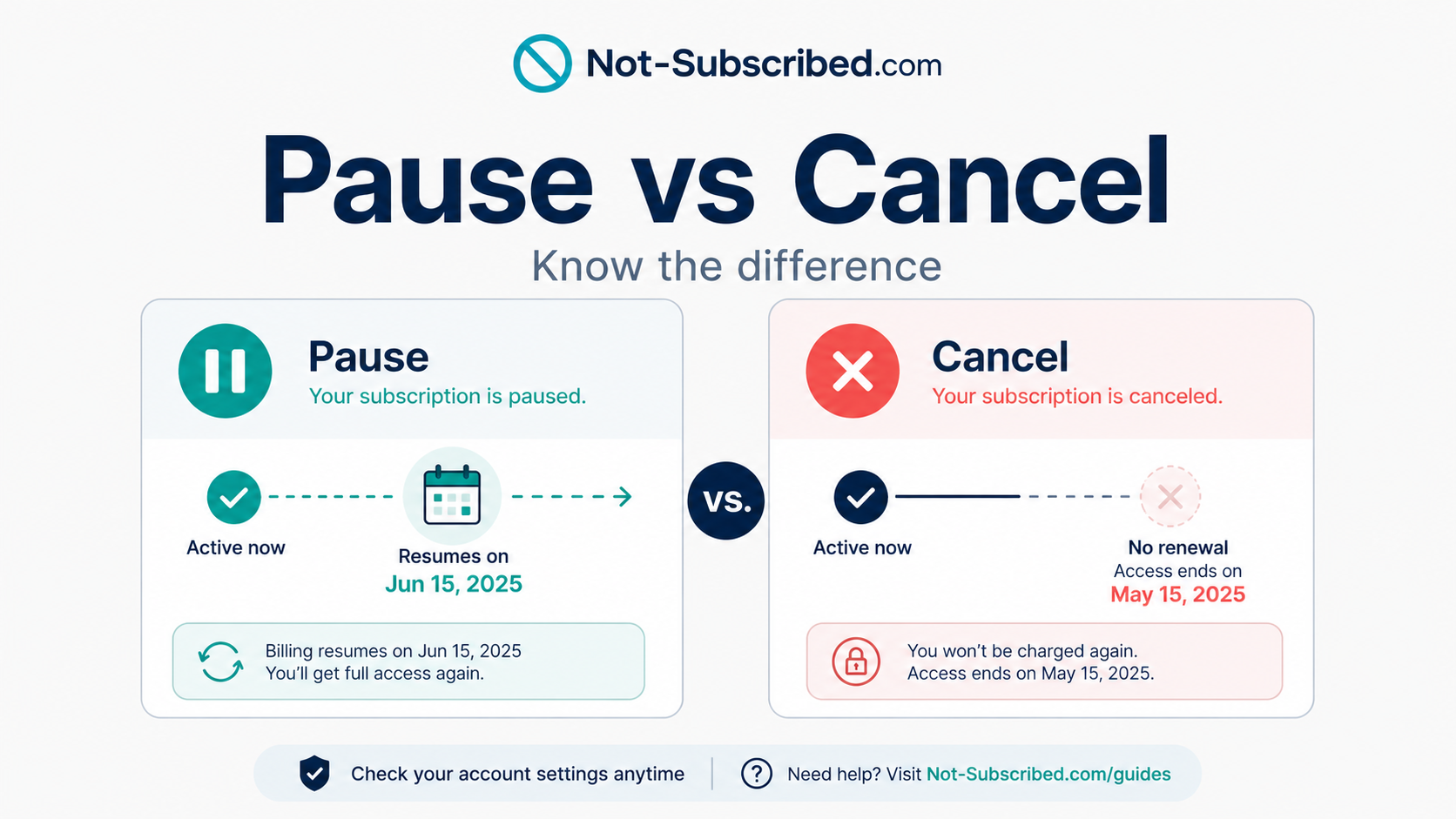
Pause vs cancel subscription comparison showing billing restart versus no renewal.
Quick answer
A pause usually means your subscription stops temporarily and may restart later. A cancellation usually means your subscription will not renew unless you sign up again.
That sounds simple, but many subscription services place pause options right in the cancellation flow. Sometimes that is genuinely helpful. Sometimes it creates confusion for people who thought they were stopping billing for good.
Before you choose pause, check one thing:
Will billing restart automatically?
If the answer is yes, you have not fully canceled.
What does it mean to pause a subscription?
Pausing a subscription usually means the service puts your membership on hold for a limited time.
During a pause, you may:
Lose access temporarily
Keep your account and preferences
Keep your watch history, playlists, profile, or saved data
Avoid signing up again from scratch
Have billing restart automatically later
A pause can be useful if you know you only need a short break.
For example:
You are traveling
You only watch sports during one season
You want to skip a month
You are trying to lower bills temporarily
You are not sure whether you want to leave permanently
The catch is that a pause is often designed as a retention option. It helps the company keep you as a future paying customer instead of losing you completely.
What does it mean to cancel a subscription?
Canceling usually means you are turning off auto-renewal.
Depending on the service, you may:
Keep access until the end of the billing period
Lose access immediately
Keep the account but stop billing
Lose premium features
Need to sign up again if you want the service later
The important part is this:
A canceled subscription should not automatically restart billing.
That is the difference that matters.
Canceling the subscription is not always the same as deleting your account. In many cases, your profile still exists, but the paid plan stops renewing.
Why pause vs. cancel gets confusing
Pause options are often placed inside cancellation flows.
You may click Cancel Subscription, then see:
“Pause instead”
“Skip a month”
“Take a break”
“Keep your account on hold”
“Come back later”
“Resume automatically on [date]”
That can be helpful, but it can also slow people down when their real goal is simple: stop billing.
This is a form of cancellation friction — extra steps, choices, or confusion added to the cancellation process. Not every pause offer is bad, but it can become confusing when the service does not make the difference between pause and cancel clear.
The Not-Subscribed playbook recommends explaining these kinds of retention flows plainly: help the reader solve the immediate problem first, then explain the pattern behind it.
Pause vs. cancel: the simple difference
Option →What it usually means→ Best if…→ Risk
Pause→ Temporarily stop or delay the subscription→ You want to come back soon→ Billing may restart automatically→
Cancel→Turn off renewal→You want billing to stop→You may lose access or benefits
Delete account→ Remove the account or profile→ You want to erase the account itself→ May not cancel billing first
Downgrade→ Move to a cheaper plan→ You still want the service→ You may still be charged
Remove add-ons→ Keep base plan, cancel extras→ The main bill is okay, but add-ons are not→ Some charges may continue
The main question is not “Did I click a button?” It is:
What happens on the next billing date?
When pausing makes sense
Pausing can be a good option when you are making a temporary change.
It may make sense if:
You know the exact date you want the subscription back
The pause does not charge you during the break
You understand when billing resumes
You want to keep your settings, saved content, or account history
The service sends a reminder before restarting billing
Example:
You use a live TV service mainly for football season. Pausing during the off-season might be better than canceling and signing up again later.
The pause is useful when you are choosing it intentionally.
When canceling is better
Canceling is usually better when your goal is to stop paying completely.
Cancel if:
You do not use the service anymore
You are trying to reduce recurring charges
You do not want billing to restart automatically
You signed up for a trial and do not want it to convert
You are unsure whether you will come back
You are annoyed by repeated “stay” offers and just want out
A pause can feel like a softer version of cancellation, but it may leave a future charge waiting for you.
The biggest pause trap: automatic restart
The most important thing to check is whether the pause ends automatically.
Look for wording like:
“Your subscription will resume on…”
“Billing restarts on…”
“Your next charge will be…”
“Your membership will automatically reactivate”
“Pause for up to X months”
“We’ll remind you before your plan resumes”
If the subscription restarts automatically, put the restart date on your calendar or cancel instead.
A pause without a reminder is basically a delayed charge with nicer branding.
Pause is not the same as canceling a free trial
Be extra careful with free trials.
Some services may let you pause, delay, or extend a trial-like offer. But if your real goal is to avoid the first paid charge, you need to confirm that the subscription will not renew.
Before a free trial ends, check:
The trial end date.
The first billing date.
Whether your payment method is already saved.
Whether pause changes the billing date or only delays access.
Whether cancellation confirms that no future charge is scheduled.
For trials, cancellation is usually safer than pause if you are not sure you want the service.
Common roadblocks
“I clicked pause, but I thought I canceled”
This is the classic pause-versus-cancel problem. Go back into your account settings and check whether the subscription says paused, active, canceled, or expires on.
If it says paused, look for the resume date.
“I still have access after canceling”
That may be normal. Many subscriptions continue until the end of the billing period. Check whether the account says it will renew. If there is no future renewal date, you may be okay.
“The service offered me a pause before cancellation”
That is a retention flow. It may be useful, but it is still an attempt to keep the customer from fully leaving.
“I paused, then got charged later”
Check the pause terms. If billing restarted automatically, the charge may be tied to the resume date. Contact support if the restart date was unclear or if you did not receive expected notice.
“I deleted the app after pausing”
Deleting the app does not cancel the subscription. You still need to manage the subscription through the service, Apple, Google Play, Roku, Amazon, PayPal, or whoever bills you.
How to tell whether you paused or canceled
Check your account for these clues:
If you see…→ It probably means…
Paused until [date]→Billing or access may restart later
Renews on [date]→ The subscription is still active
Next billing date→ You may still be scheduled for a charge
Expires on [date]→ It may be canceled but active until then
Canceled→ Renewal should be off
Resume subscription→ It may currently be paused or canceled
Reactivate→ The subscription may already be canceled
The safest confirmation is a message that says the subscription is canceled and will not renew.
What to do after pausing
If you choose pause, do not just close the tab.
Do this:
Write down the resume date.
Take a screenshot of the pause terms.
Check whether billing restarts automatically.
Add a calendar reminder a few days before the pause ends.
Save any confirmation email.
Recheck the account before the restart date.
Pausing can work well, but only if you track it.
What to do after canceling
If you cancel, confirm the cancellation before leaving.
Look for:
A confirmation email
Account status showing canceled
An expiration date instead of a renewal date
No next billing date
A final cancellation screen
A screenshot for your records
Save proof. A screenshot is boring until you need it.
What to do if you are charged after pausing or canceling
Check whether you paused instead of canceled.
Look for the resume date.
Check the billing provider.
Search your email for confirmation messages.
Make sure you canceled the right account.
Contact the company that billed you.
Ask whether the charge is eligible for a refund.
Save screenshots, emails, and chat transcripts.
Contact your card provider if the charge appears unauthorized or the company cannot resolve it.
Do not assume the streaming app, fitness app, or software company is the one billing you. Apple, Google Play, Roku, Amazon, PayPal, or another provider may control the charge.
The Not-Subscribed note
Pause options are not automatically bad. Sometimes they are useful. The problem starts when a pause is presented so close to cancellation that people leave thinking they stopped billing when they really just delayed it.
That is subscription sludge: a little extra confusion at the exact moment you are trying to make a clean decision.
Before choosing pause or cancel, ask:
Do I want this subscription to restart automatically?
If the answer is no, cancel — and confirm it is canceled.