
Quick answer
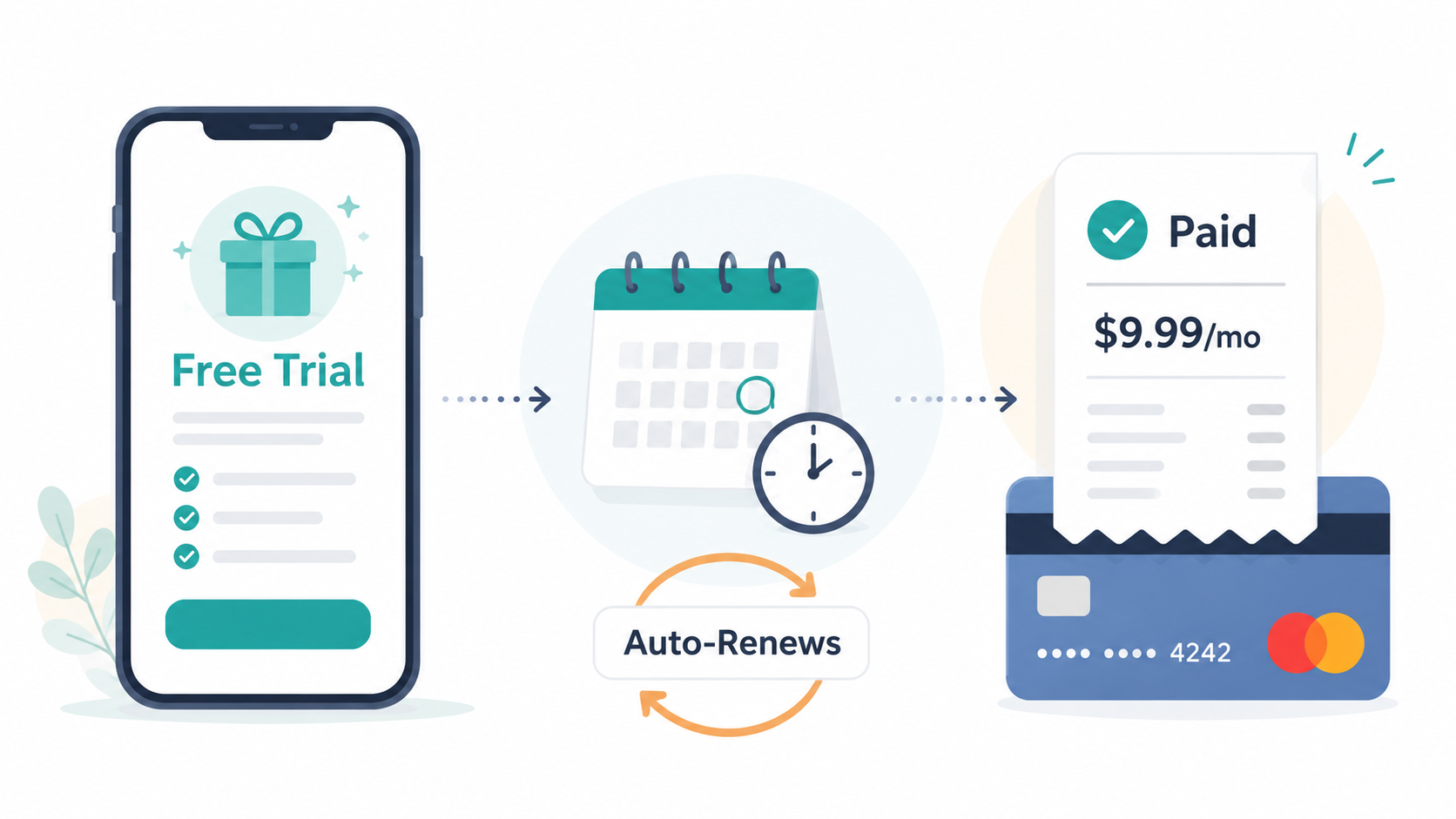
Free trials turn into paid subscriptions because most of them are built on negative option billing: you are not charged during the trial, but billing starts automatically unless you cancel before the trial ends.
That does not always mean the company is doing something wrong. But it does mean the responsibility usually shifts to you to remember the deadline, find the cancellation path, and confirm the trial is actually canceled.
In plain English: the free trial is free only if you cancel in time.
What a free trial really is
A free trial is usually not just a sample. It is a subscription setup with a delayed first charge.
When you sign up, the company may ask for:
Your email address
A password
A payment card
Permission to bill you later
Agreement to subscription terms
A trial end date
That last part matters most. Once the trial ends, the subscription may automatically renew monthly, annually, or on whatever billing schedule you agreed to during signup.
This is why “free trial” often really means:
“Try this now, and we will start charging you later unless you cancel first.”
That model is common in streaming services, apps, software tools, fitness memberships, dating apps, learning platforms, cloud storage, and subscription boxes.
Why companies use free trials
Free trials work because they lower the pressure of signing up.
Instead of asking, “Do you want to pay $9.99 a month?” the offer becomes, “Want to try it free?”
That feels easier. There is less commitment. You can test the service, explore the features, and decide later.
From the company’s side, free trials are useful because they:
Get people into the product quickly
Reduce signup hesitation
Build habit before payment starts
Let users forget the exact renewal date
Turn a one-time decision into recurring billing
Again, this is not automatically shady. A good free trial can help someone test a service before paying. The problem starts when the cancellation path is harder to find than the signup button.
The subscription tactic behind free trials
The key tactic is negative option billing.
That means the subscription continues unless you actively say no by canceling. Instead of asking you to confirm payment again after the trial, the system treats silence as permission to keep billing.
This is why a missed reminder can become a real charge.
You may have intended to “just try it.” The billing system heard, “Start charging me after seven days unless I cancel.”
That gap is where many subscription surprises happen.
Why free trials are easy to forget
Free trials often rely on a very human weakness: we are bad at remembering future chores.
You might sign up while solving an immediate problem:
Watching one show
Finishing one school assignment
Editing one PDF
Using one workout app
Getting one delivery discount
Testing one business tool
At that moment, the trial feels harmless. The renewal date feels far away.
Then real life happens. The email reminder gets buried. The app stops being used. The charge appears later with a name you barely recognize.
That does not mean you were careless. It means the subscription system is designed around a future action that is easy to miss.
Common ways free trials become paid subscriptions
1. You had to enter a payment method first
Many trials require a card, PayPal account, Apple ID, Google Play account, Amazon account, or other billing method before the trial starts.
Once that payment method is attached, the company or billing platform can start charging when the trial ends.
2. The trial converts automatically
Some trials do not ask, “Do you want to continue?” when the free period ends. They simply convert into a paid plan.
That conversion may be disclosed during signup, but it is easy to overlook if the trial offer is presented more prominently than the renewal terms.
3. The renewal date is easy to miss
The trial may last 3 days, 7 days, 14 days, 30 days, or longer. Short trials are especially easy to forget because the charge can happen before the service becomes part of your routine.
4. The cancellation path is separate from the app
Deleting an app usually does not cancel the subscription.
If you subscribed through Apple, Google Play, Roku, Amazon, PayPal, or another billing provider, you may need to cancel through that provider instead of inside the service’s app.
This is one of the most common causes of “I canceled it, but I am still being charged” confusion.
5. The service offers a discount before letting you leave
When you try to cancel, you may see:
A discount offer
A pause option
A survey
A warning about lost benefits
A “are you sure?” screen
Another confirmation button
This is called a retention flow. It is designed to make you reconsider before cancellation is complete.
6. The final confirmation is easy to miss
Some cancellation flows require more than one click. You might select “cancel,” answer a question, reject an offer, and then still need to confirm one final time.
If you stop too early, the subscription may remain active.
Free trial red flags to check before signing up
Before starting a free trial, look for these details:
The trial length
Is it 3 days, 7 days, 14 days, or 30 days?
Short trials require quicker reminders.
The first charge date
Find the exact date billing begins. Do not rely on “next week” or “after trial.”
The billing amount
Check whether the trial turns into a monthly plan, annual plan, or annual-paid-monthly plan.
The billing provider
Ask: who will actually charge you?
It might be:
The service directly
Apple
Google Play
Amazon
Roku
PayPal
Your mobile carrier
A third-party billing company
The cancellation method
Look for whether you can cancel online, inside the app, through an app store, by chat, or by phone.
A trial that is easy to start but vague about cancellation deserves extra caution.
Whether the trial becomes an annual plan
Some services advertise a low monthly price but enroll users into an annual commitment. Before starting the trial, check whether canceling later could involve fees or loss of access.
How to avoid getting charged after a free trial
1. Set a reminder immediately
Set a reminder for at least 24 to 48 hours before the trial ends.
Use whatever you actually check:
Phone calendar
Email reminder
Task app
Paper planner
Smart speaker reminder
The best reminder is the one you will not ignore.
2. Screenshot the trial terms
Before you finish signup, screenshot:
Trial length
Renewal date
Price after trial
Billing provider
Cancellation instructions, if shown
This gives you proof if something later seems wrong.
3. Cancel early if you only needed it once
Some trials let you cancel early and keep access until the trial ends. Others may end access immediately.
Check the wording before canceling. If access continues through the trial period, canceling early is often the cleanest move.
4. Check Apple and Google subscriptions
If you signed up on your phone, check your app store subscriptions.
For iPhone:
Open Settings.
Tap your name.
Tap Subscriptions.
Look for the trial or subscription.
Tap it and review the renewal date.
For Android:
Open the Google Play Store.
Tap your profile icon.
Tap Payments & subscriptions.
Tap Subscriptions.
Review active trials and subscriptions.
5. Search your email for receipts
Search your inbox for:
“trial”
“subscription”
“renewal”
“receipt”
“welcome”
“payment”
The service name
Apple, Google, PayPal, Amazon, or Roku
Receipts often reveal who is billing you and where to cancel.
What to do if a free trial already charged you
First, do not panic. A surprise charge is frustrating, but there are practical steps.
1. Find who billed you
Check the card statement carefully. The billing name may not exactly match the app name.
Also check:
Apple subscriptions
Google Play subscriptions
PayPal automatic payments
Amazon memberships and subscriptions
Roku subscriptions
Email receipts
2. Cancel the active subscription
Cancel through the actual billing provider. If Apple billed you, cancel through Apple. If Google Play billed you, cancel through Google Play. If the company billed you directly, cancel in the company account settings or support flow.
3. Save proof
Keep:
Confirmation emails
Screenshots of canceled status
Chat transcripts
Support ticket numbers
Billing dates
Receipt copies
This matters if another charge appears.
4. Ask for a refund when appropriate
Some companies or billing providers may offer refunds, especially if you were charged recently and did not use the service after conversion. Others may not.
Do not assume a refund is guaranteed. Ask politely, explain the situation clearly, and include the cancellation or charge details.
5. Dispute only when needed
If the charge appears unauthorized, the company will not respond, or billing continues after cancellation, you may need to contact the card provider.
Usually, it is best to try the service or billing provider first unless the charge is clearly unauthorized.
Why deleting the app does not cancel the trial
This one causes a lot of pain.
Deleting an app removes the app from your device. It does not necessarily remove the billing agreement.
The subscription may still live in:
Your Apple ID
Your Google Play account
Your PayPal automatic payments
Your Amazon account
Your Roku account
The company’s own billing system
Think of the app as the front door. The billing agreement may be in a completely different room.
The bigger pattern: easy in, harder out
Free trials are often part of a broader subscription pattern:
Signup is fast.
Payment details are collected early.
Billing starts automatically.
Cancellation may require extra steps.
The service may show retention offers before letting you leave.
Confirmation may require careful reading.
When the gap between signing up and canceling gets too wide, that becomes cancellation friction.
When it feels easy to enter and weirdly hard to exit, people sometimes call that a roach motel subscription: easy to get into, hard to get out of.
Not every free trial is a trap. But every free trial deserves a little suspicion until you know three things:
When will I be charged?
Who will bill me?
How do I cancel?
A simple free trial checklist
Before starting a free trial, ask:
What date does the trial end?
How much will I be charged?
Is it monthly or annual?
Who is the billing provider?
Can I cancel online?
Will I keep access if I cancel early?
Did I set a reminder?
Did I save proof of the terms?
That small checklist can save you from a very annoying future charge.
The Not-Subscribed note
Free trials are popular because they feel low-risk in the moment. The catch is that many are built around negative option billing, which means doing nothing becomes a paid decision.
The safest move is not to avoid every free trial. It is to treat every trial like a tiny subscription contract: check the renewal date, know who is billing you, cancel from the right place, and save proof when you do.
Cancel smarter. Subscribe slower.